
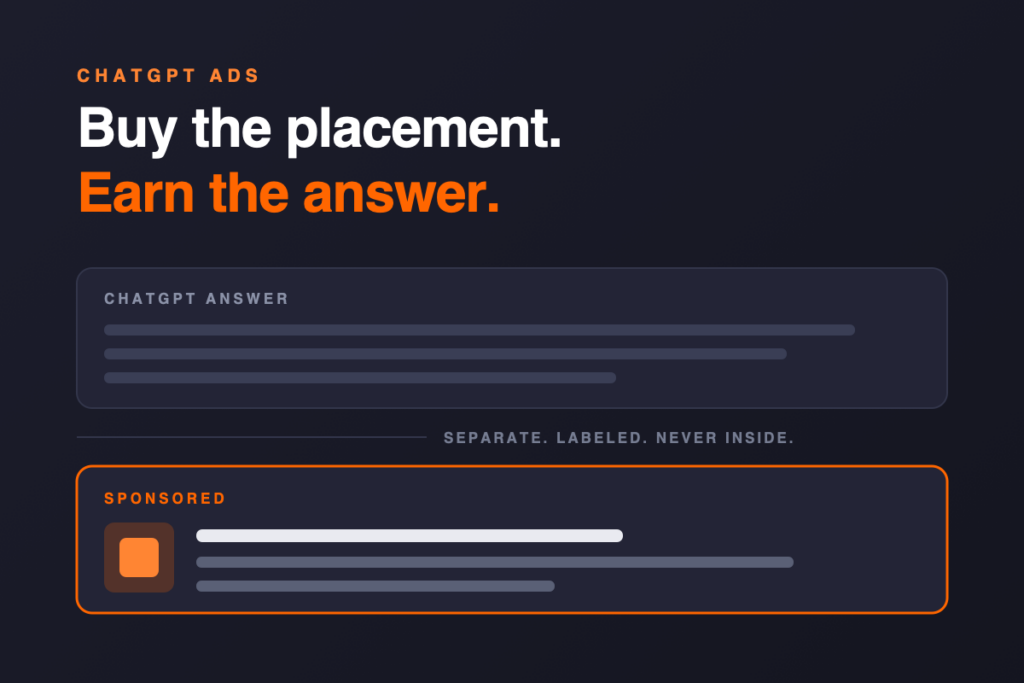
For the first time, you can buy a placement inside ChatGPT. You still cannot buy the answer. That distinction is the single most important thing to understand before you spend a dollar on ChatGPT Ads — and it is the part almost every “ChatGPT ads are here” article skips.
OpenAI began testing ads in ChatGPT in the U.S. on February 9, 2026. On May 5, 2026, it opened a self-serve Ads Manager at ads.openai.com with CPC bidding, pixel and Conversions API measurement, and open signup for approved advertisers. On August 18, 2026, OpenAI announced the platform is expanding to 31 European markets and said tens of thousands of marketers have now advertised on ChatGPT. The channel went from invite-only pilot to genuinely buyable in about six months.
This guide covers how the platform actually works right now: the ad unit, who is eligible to see it, what it costs, how targeting works (it is not keywords), how campaigns are structured, the creative specs, the landing-page requirement that gets ads rejected, how conversions are measured, and which business categories are allowed to advertise at all. Everything below is sourced from OpenAI’s own advertiser documentation and ad policies, verified on August 21, 2026.
OpenAI’s stated principle is answer independence: ads run on separate systems from the chat model, and advertisers have no ability to shape, rank, or alter ChatGPT’s responses. Ads appear below a response, clearly labeled, visually separated. OpenAI is explicit that seeing an ad does not mean ChatGPT endorses or recommends that business.
So paid and organic AI visibility are two different jobs. The ad buys attention next to the answer. Whether ChatGPT actually recommends you inside the answer is still earned — and it is earned through a completely separate set of signals. Budget for both, or you are buying reach in a conversation where a competitor is still the one being recommended.
- Ads appear below ChatGPT responses, labeled and separated — never inside the answer.
- Only Free and Go users see ads. Plus, Pro, Business, Enterprise, and Edu accounts are ad-free, and no ads are shown to accounts identified as under 18.
- Targeting is context hints, not keywords. You describe the situations where your product helps; OpenAI’s system decides where it’s relevant. There is no exact-match control.
- Three objectives: CPM (Reach), CPC (Clicks), and oCPC (Conversions). OpenAI recommends starting CPC max bids of $3–$5. U.S. daily budget minimum is $25.
- Your landing page must be crawlable by OAI-AdsBot, or the ad will not be approved. Blocked landing pages are a documented rejection reason.
- Whole industries are not eligible yet. Legal services are disallowed outright; health and financial services are approved case-by-case in the U.S. only.
- There are no official performance benchmarks. OpenAI says so directly. Treat third-party “ChatGPT Ads CPC benchmarks” with suspicion.
- Product feed items are ads-only. OpenAI states feed products will not appear in organic ChatGPT conversations during the beta — more proof that paid placement and organic recommendation are separate systems.
- What ChatGPT ads actually are
- Who sees your ads (and who never will)
- Where you can advertise right now
- What ChatGPT ads cost
- How targeting works: context hints, not keywords
- Campaign structure: campaigns, ad groups, ads
- How to launch your first campaign, step by step
- Creative specs and what makes an ad work
- Product feed campaigns for retail
- The step most advertisers miss: landing page access
- Measurement: pixel, Conversions API, and attribution
- Is your business even eligible to advertise?
- What “good performance” looks like
- What you can buy vs. what you have to earn
- Should your business run ChatGPT ads yet?
- Frequently asked questions
What ChatGPT ads actually are
A ChatGPT ad is a labeled sponsored unit that appears below the end of a ChatGPT response. It is not woven into the answer text, and it is not a citation. It is a discrete, visually separated card.
According to OpenAI’s advertiser documentation, each ad contains six elements:
- Advertiser name — set at the account level
- Favicon — your logo mark
- Title — the headline
- Copy — a short description
- Image asset — a square creative
- Landing page — where the click goes
A user may see one or more ad units below a response, and a single unit can feature one or more items from one advertiser or from multiple advertisers. For longer conversations, OpenAI says it also weighs overall context and user experience when deciding whether to serve anything at all.
Two placements are explicitly excluded during the test: Temporary Chats never show ads, and ads do not appear in the ChatGPT Atlas browser. Users can also hide individual ads, report them, ask “About this ad” to see why they were shown it, or use “Ask ChatGPT” to pull an ad into the conversation and ask questions about it — a genuinely new interaction pattern with no equivalent in Google or Meta.
It is worth being precise about what the ad is not. It is not a placement in the answer, it is not a source citation, and it does not make ChatGPT more likely to name you when someone asks for a recommendation. If your goal is the recommendation itself, that is a different discipline entirely — see how to get your business recommended by ChatGPT.
Who sees your ads (and who never will)
This is the audience math most coverage gets wrong, and it materially changes who should buy.
- Logged-in users on the Free plan who have not opted into Ads-Free
- Users on the Go plan
- Logged-out users (limited to ads appropriate for all audiences)
- Users with ad personalization turned off — they still see context-based ads
- Plus, Pro, Business, Enterprise, and Edu accounts
- Accounts identified as belonging to users under 18
- Free users who switched to the Ads-Free option
- Anyone in a Temporary Chat
- Anyone in a sensitive or brand-unsafe conversation context
Read that right column carefully if you sell B2B. The people most likely to be paying for Plus, Pro, Business, or Enterprise are heavy professional users — often exactly the buyers a B2B or high-consideration brand wants. They are structurally unreachable through ChatGPT Ads. That does not make the channel useless for B2B, but it does mean your reachable audience skews toward casual and cost-sensitive users, and you should not model it as “everyone who uses ChatGPT.”
OpenAI also gives free users an explicit escape hatch: switching to an Ads-Free experience that removes ads in exchange for lower message limits and reduced feature access. That is an unusual amount of user control, and it means the ad-supported pool is self-selecting over time.
On the privacy side, OpenAI is unambiguous: advertisers never receive conversations, chat history, memories, names, emails, precise location, IP addresses, or sensitive topic data. Advertisers get aggregated performance reporting only. If a vendor tells you they can target based on what people are saying to ChatGPT, they are describing something that does not exist.
Where you can advertise right now
Advertiser availability and ad-serving availability are two different maps, and both are moving quickly.
As of August 21, 2026, OpenAI lists self-serve Ads Manager as available in the United States, United Kingdom, Canada, Australia, New Zealand, Japan, Korea, Mexico, and Brazil. Thirty-one European markets — including Germany, France, Spain, Italy, the Netherlands, Sweden, Norway, Denmark, Austria, Ireland, and Switzerland — are listed as coming soon.
OpenAI’s August 18 announcement fills in the sequence: ChatGPT Ads reaches those 31 European countries first through the OpenAI Ads Solutions team, agency partners, and technology partners, with self-service access through Ads Manager following “later this summer.” If your business is based outside the supported list, the only current path is registering interest through OpenAI’s advertiser interest form.
Two practical consequences. First, if you operate in a “coming soon” market, the work to do right now is preparation — creative, landing pages, crawler access, and measurement — not waiting. Second, availability has changed roughly monthly since February, so any list of countries (including this one) should be re-checked against OpenAI’s availability page before you plan a budget.
What ChatGPT ads cost
There is no contract or upfront spend commitment to open an account. What exists instead is a minimum daily budget, a bid you set, and an auction that decides the rest.
The three ways to buy
| Objective | You pay for | System optimizes for | Best when |
|---|---|---|---|
| CPM (Reach) | Every 1,000 impressions | Broad delivery at scale | Awareness, launches, category education |
| CPC (Clicks) | Each valid click | Clicks from users likely to engage | Traffic and engagement; the default starting point |
| oCPC (Conversions) | Each valid click — not per conversion | Clicks likely to drive your chosen conversion event | You already have healthy conversion tracking and volume |
A few constraints that will save you a rebuild: the campaign objective cannot be changed after creation. Neither can the conversion event on an oCPC campaign, and an existing CPM or CPC campaign cannot be converted into an oCPC campaign. If the objective is wrong, you create a new campaign. Budget type is similarly sticky — switching a campaign-total budget to a daily budget is a one-way door.
Bids and the auction
You set a maximum bid at the ad group level: a max CPM for Reach campaigns, a max CPC for Clicks campaigns, or a Bid Cap for conversion-optimized campaigns. OpenAI recommends starting CPC campaigns with a maximum bid of $3–$5 USD per click, and offers bid-strength guidance in the interface to flag bids likely to limit delivery. For oCPC there is no recommended amount at this time.
Selection runs through a relevance-weighted, second-price auction. Relevance is weighted, not just price — which means a genuinely well-matched ad with modest bids can beat a poorly matched ad with aggressive bids. That is the same lesson Google Ads taught with Quality Score, and it is the reason the creative and context-hint work below is not optional polish.
Budgets and billing
Campaign budgets come in two forms. A campaign-total budget is the stricter cap on total spend — but OpenAI warns explicitly that it is a spending limit, not a pacing control, and spend can accumulate quickly depending on how well your ads match available conversations. A daily budget is a delivery target that can fluctuate above or below the number on any given day. For a new advertiser, OpenAI recommends starting with a daily budget.
Current daily minimums include $25 USD, £15 GBP, $25 CAD, $25 AUD, $25 NZD, 40 BRL, 150 MXN, ¥2,500 JPY, ₩25,000 KRW, and ₹725 INR.
Billing is postpay. You add a billing profile and card, your bank may show a temporary $100 authorization during verification, and you are charged when your account hits an assigned payment threshold — or at month end if a balance remains. Thresholds start low for new advertisers and rise automatically with payment history. You cannot request a threshold change, and support will not change one for you. If a payment fails, delivery can stop until it’s resolved.
Paid placement next to the answer is worth a lot less when the answer itself recommends a competitor. A Private Visibility Brief shows you where your business actually stands in AI and traditional search — the baseline you should have before you spend on ChatGPT Ads.
How targeting works: context hints, not keywords
This is the biggest mental-model shift for anyone coming from Google Ads, and it is where most early campaigns go wrong.
ChatGPT Ads has no keyword targeting. There is no exact match, no phrase match, no negative keyword list, no search terms report. What you get instead, at the ad group level, is a set of context hints: natural-language descriptions of the conversations, needs, and situations where your product or service is genuinely useful.
You bid on the literal strings people type, with match types and negatives that give you hard control over eligibility.
- Direct and enforceable
- Search terms report shows what triggered
- Negatives exclude with certainty
You describe who a person is — demographics, interests, behaviors, lookalikes — and the system finds them.
- Indirect but auditable
- Audience definitions are explicit
- Increasingly automated
You describe the situation your offering fits. OpenAI’s system decides which conversations qualify. Hints guide matching; they never guarantee it.
- Influence, not control
- No exact-match, no negatives
- No conversation-level reporting
OpenAI states this plainly: context hints “are not exact-match keywords and do not guarantee delivery in specific conversations.” They are not audience targeting rules and not instructions to show your ad only in certain chats.
How to write context hints that work
The documented guidance is to add information the ad and landing page don’t already carry, and to describe needs and situations rather than broad audience labels. OpenAI’s own framing is a useful test: what else should we know about this product, who it helps, and when it’s useful?
In practice, that means the difference between a category label and a situation:
Too broad “commercial HVAC”
Usable “emergency rooftop unit repair for a restaurant that has lost cooling during summer service hours”
The second version tells the system a need, an environment, a trigger, and an urgency level. Being specific does not mean the user has to type those exact words — the system is designed to generalize across the many ways people describe the same problem. That generalization is precisely why vague hints hurt you: a hint like “marketing services” generalizes into an enormous, mostly irrelevant surface.
- Add detail beyond the ad title, copy, and landing page
- Connect a specific feature to a real customer need
- Describe a situation, not an audience label
- Use clear, natural phrasing — not term lists
- Cover the different ways customers describe the same problem
- Stay inside one product category or intent per ad group
- Single broad nouns (“software,” “insurance,” “shoes”)
- Disconnected keyword strings pasted from a Google Ads export
- Use cases your product does not actually serve well
- Meaningfully different products crammed into one ad group
- Restating the ad copy verbatim
- Audience demographics with no situational detail
If a set of hints starts describing meaningfully different products, use cases, or landing pages, OpenAI’s guidance is to split them into separate ad groups. That is the structural discipline this platform rewards.
The targeting you do control directly
Beyond hints, four levers are explicit and enforceable:
- Location. Country targeting everywhere, plus state/region, city, DMA, and postal code targeting where supported — in the U.S., that includes state, DMA, and ZIP. OpenAI publishes a downloadable location catalog.
- Platform. Include or exclude iOS App, Android App, and Web (Web covers desktop and mobile web).
- Custom audiences. Upload customer or prospect lists as emails or phone numbers, raw or SHA-256 hashed, and include or exclude them at the campaign level.
- Audience bid multipliers. At the ad group level, raise or lower your max bid from 0.1x to 10x when the viewer matches a custom audience. If someone matches several, the highest multiplier applies.
Custom audiences carry a hard floor: 25,000 matched users minimum, with 100,000+ recommended. That is a real barrier for local and mid-market businesses. Files can be up to 500 MB or 5,000,000 identifiers, must use one identifier type per upload, take roughly 20–30 minutes to process, and cannot be edited after creation — changing a list means creating a new audience. OpenAI deletes the uploaded file after processing, usually within 24 hours.
Campaign structure: campaigns, ad groups, ads
The hierarchy is familiar, but the responsibilities of each level are not quite what a Google Ads account manager expects.
Owns the objective (CPM, CPC, or oCPC), the conversion event for oCPC, the budget, start and end dates, country and location targeting, optional platform targeting, and custom audience inclusion or exclusion. Objective and conversion event are locked after creation.
Owns the theme. This is where context hints live, where the maximum bid is set, and where audience bid multipliers are applied. One product category, theme, or customer need per ad group — that is the rule the system is built around.
Owns the creative: title, copy, image, and landing page URL. OpenAI recommends multiple distinct ads per ad group, each introducing a different angle rather than restating the same message.
Account ceilings are generous — up to 5,000 campaigns, 5,000 ad groups, and 5,000 ads per ad account — so structure for clarity, not for economy. Separate campaigns for meaningfully different objectives, regions, or product categories; separate ad groups for meaningfully different needs.
How to launch your first campaign, step by step
Campaigns can be built one at a time in the guided workflow, or at scale by uploading a CSV ad schema template (Create → Upload bulk). There is also an Advertiser API for programmatic ad creation and performance queries. Whichever path you take, the sequence is the same:
Sign up at ads.openai.com and set your advertiser name and favicon — both appear in every ad you run. If your company already has an OpenAI tenant, an admin may need to grant you the Ads Admin role.
Add a billing profile (business name, address, invoice email) and a payment method. Nothing delivers until billing is complete and the account is verified.
Do this before you upload creative, not after a rejection. OAI-AdsBot has to be able to fetch every landing page you intend to use.
Objective, budget type and amount, dates, countries and locations, optional platforms, optional audience include/exclude. Start with a daily budget while you learn delivery.
One theme per group. Write hints as situations. Set the max bid — $3–$5 is OpenAI’s recommended CPC starting range.
Distinct angles, within the character limits, each pointing at the most relevant destination page rather than the homepage.
Every ad is reviewed before it can serve — advertiser, creative, landing page, and placement. Most review is automated with human escalation on risk or severity.
Expect impressions within 24 hours of launch. Reporting lags delivery by up to 7 hours, and attributed conversions can take 24–48 hours to appear. Do not diagnose a “dead” campaign on day one.
If nothing is delivering, OpenAI’s documented checklist is short and worth memorizing: ad review status is not yet Serving, account verification is incomplete, the campaign budget is exhausted, the end date has passed, or there is a billing problem. Hovering the status in Ads Manager gives the specific reason.
Creative specs and what makes an ad work
The character limits are tight, and the recommended range is much tighter than the maximum:
| Asset | Recommended | Maximum | Notes |
|---|---|---|---|
| Ad title | 16–24 characters | 50 characters | Lead with what the product is or does |
| Ad copy | 32–48 characters | 100 characters | Add new information; don’t restate the title |
| Image | Square, PNG or JPG | 1200 × 1200 | Must be publicly accessible and open directly to the file |
| Landing page | Deepest relevant page | — | Valid, reachable, and not blocked to OpenAI crawlers |
Sixteen to twenty-four characters is roughly three or four words. That is not a slogan; that is a label. OpenAI’s creative guidance is consistent about why: ads with clear, specific, benefit-focused copy are more likely to be judged relevant. Benefit-focused means it explains the practical value, who it is for, and when it helps — not a catchy line and not a generic call to action.
The second piece of guidance is one paid teams will find unfamiliar: build for coverage, not for one perfect message. A high volume of diverse title and copy variations lets the system find more conversations where you are relevant. Each variation should introduce a genuinely different angle, because near-duplicates give the matching system nothing new to work with. In a relevance-weighted auction, creative variety is a targeting input, not just a testing exercise.
Two rules worth internalizing before you write anything: ads must not imitate the ChatGPT interface — anything that could make a user believe the ad is part of the product can be removed or forced into revision — and the ad must be consistent end to end. Approved creative that links to a destination introducing disallowed content is a violation on its own.
Ads Manager can also prefill a suggested ad draft from your existing website metadata — image, title, description — for you to review and edit. Notably, OpenAI says this does not generate new copy or imagery with AI; it reads what your site already publishes. Which means your page titles, meta descriptions, and Open Graph images are quietly doing work here, exactly as they do for how AI systems understand your business.
Product feed campaigns for retail
Retailers get a dedicated path. In Ads Manager, under Tools → Feeds, you can upload a product catalog by CSV/TXT, hosted URL, or SFTP, then create a campaign with the type set to Product feed. Ad groups filter the catalog into eligible product sets, and a single ad template supplies the image treatment. Product ads use formats built for catalog items, showing images, titles, stars, prices, sale prices, and brand.
OpenAI states directly that ads created from product feeds have been among the strongest-performing ads in the program to date. If you run ecommerce, this is the highest-signal thing OpenAI has said publicly about what works.
Two operational notes. Feed items expire after two weeks, so hosted-URL or automated SFTP uploads are strongly preferable to manual CSVs. And the Products tab is a reporting view, not an inventory view — products only appear there after an active campaign delivers.
OpenAI’s feed documentation states that during the beta, products from your feed “will only be eligible for use in ads… They will not appear in organic ChatGPT conversations, though we may offer that capability in the future.”
That is the clearest confirmation available that paying OpenAI does not put your products into ChatGPT’s answers. Organic product visibility inside ChatGPT is still earned through the public web — which is a different project entirely for ecommerce brands trying to get found and recommended.
The step most advertisers miss: landing page access
Here is the operational detail that separates campaigns that run from campaigns that sit rejected, and it has nothing to do with marketing.
When you submit an ad, OpenAI crawls the landing page — both to validate policy compliance and to help determine when the ad is relevant. That crawl comes from OAI-AdsBot. OpenAI’s advertiser guidance is unambiguous: you must allow OAI-AdsBot, and it recommends allowing OAI-SearchBot as well. A landing page that blocks OpenAI user agents or IP addresses is a documented cause of ad rejection.
# Minimum robots.txt posture for a ChatGPT advertiser
User-agent: OAI-AdsBot
Allow: /

User-agent: OAI-SearchBot
Allow: /
Critically, OAI-AdsBot, OAI-SearchBot, and GPTBot are separate tokens. A rule written for one does not apply to the others. Plenty of sites added a blanket GPTBot block in 2024 to keep content out of model training and never revisited it. That decision does not block the ads crawler by itself — but the same defensive instinct usually shows up again at the firewall, where it does.
robots.txt is only the first of four layers. OpenAI walks through all of them:
- robots.txt explicitly allows
OAI-AdsBoton the landing path - Cloudflare, Akamai, or other WAF rules do not return 403 to the crawler
- Bot-mitigation rules are not firing false positives on it
- Cloudflare users: OAI-AdsBot is officially verified and allowlisted
- No CAPTCHA, JS challenge, or behavioral check gates the page
- No login wall, geo rule, or unsupported redirect on the destination
- Rate limiting is not returning 429 during bulk ad uploads
- Destination is a real web page — not an app-store or deep link
If your security team requires IP allowlisting rather than user-agent matching, OpenAI publishes ranges at openai.com/adsbot.json and openai.com/searchbot.json — though OpenAI itself recommends validating through a combination of user agent, verified-bot programs, and firewall allowlists rather than IPs alone. And do not plan on a manual bypass: OpenAI’s guidance says explicitly not to rely on support waving an ad through. Fix the access, then resubmit.
There is a strategic point buried in this. The same infrastructure that blocks OAI-AdsBot is usually blocking OAI-SearchBot, which is what surfaces your pages inside ChatGPT’s organic answers. A site that cannot be crawled cannot be advertised or recommended. If you have never audited this, start with whether your website is blocking AI crawlers — it is the same 30-minute check, and it now gates a paid channel as well as an organic one.
Measurement: pixel, Conversions API, and attribution
Measurement was the pilot’s most-requested capability, and it is now the most complete part of the platform. Ads Manager reports impressions, clicks, spend, CTR, average CPC, average CPM, and conversions at campaign, ad group, and ad level, in table view, chart view, and CSV export.
How a conversion gets counted
You create a data source in Ads Manager and send events through the OpenAI Pixel, the Conversions API, or both. A conversion is reported when OpenAI receives the event, the event matches a conversion event configured for the campaign, it falls inside the attribution window, and OpenAI can connect it to an eligible click.
That connection runs on a click reference called oppref, appended to your landing page URL. The pixel captures it and stores it in a first-party cookie so later conversion events can be tied back; when you send server-side events, you can include oppref yourself. Three things follow from that:
- Preserve
opprefthrough redirects. A redirect chain that strips query parameters silently destroys attribution. This is the most common self-inflicted measurement wound on any click-ID-based platform. - Use the pixel and CAPI together with the same event ID so OpenAI can deduplicate. Belt and suspenders, correctly wired.
- Automatic advanced matching is on by default for new web pixels. The pixel detects supported customer information from forms, normalizes and SHA-256 hashes it in the browser, and sends the hash — raw customer data is not transmitted. It can be toggled per pixel under Tools → Conversions → Data Source.
The pixel can be deployed through Google Tag Manager, as long as the container reliably loads the snippet and does not reorder initialization and event calls.
Attribution quirks worth knowing before your first report
- Reporting lags delivery by up to 7 hours, and attributed conversions can take 24–48 hours to appear.
- View-through conversions are one-day, fixed, and separate. Where available, VTA (1d) is reported as its own column, is not included in the main Conversions total, and does not affect CPA, bidding, billing, or optimization. If a click and an impression both qualify, the click gets credit. The window is not configurable.
- Modeled conversions may be included. Where available, OpenAI estimates attribution for otherwise unattributed events using aggregated patterns, and those can be part of reported totals.
- oCPC does not mean paying per conversion. Bid Cap is a conversion-oriented bid used to compete in click auctions; billing stays click-based, and the actual CPC is set by the auction.
- Custom conversion events are not supported for oCPC — one standard event per campaign, locked at creation.
OpenAI also states plainly that its totals will differ from your analytics platform and from other ad platforms, listing attribution methods, windows, time zones, consent and storage conditions, deduplication behavior, and modeling as reasons — and that a difference does not necessarily indicate an error. Set that expectation with stakeholders before the first monthly report, not during it. The same discipline applies to measuring AI search visibility generally: the reporting is directional before it is precise.
Is your business even eligible to advertise?
Before any of the tactics above matter, answer this: does OpenAI currently allow ads in your category? For a large share of businesses, the honest answer today is no — and that is not a permanent state, but it is the current one.
OpenAI’s Ad Policies (version 1.4, updated August 10, 2026) describe the early program as deliberately narrow.
| Category | Status | What it means in practice |
|---|---|---|
| Household & consumer goods | Allowed | The core supported vertical at launch |
| Local services | Allowed | Home services, trades, and similar local providers |
| Travel & entertainment | Allowed | Includes casino resorts only when gambling isn’t the focus |
| Digital products & education | Allowed | Software, courses, digital subscriptions |
| Financial services | Case-by-case, U.S. only | Approved advertisers only, across a defined list; proof of licensure may be required. Credit repair, debt settlement, and alternative investments are excluded |
| Health services | Case-by-case, U.S. only | Approved advertisers only, across a defined list; licensure may be required. No unsupported treatment claims |
| Legal services | Not permitted | No advice, representation, immigration, personal injury, claims, or document prep. General legal education may be allowed |
| Housing & job listings | Not permitted | Individual listings prohibited; platforms may advertise without referencing a specific listing |
| Gambling, alcohol, tobacco, cannabis, adult, political | Not permitted | Disallowed at launch, with narrow, well-defined exceptions |
Two implications matter more than the list itself.
If you are a law firm, ChatGPT Ads is not available to you. Not restricted — disallowed. That is a genuinely important fact for an industry that spends heavily on Google Ads, and it makes organic AI visibility the only route into ChatGPT for legal practices right now. Which is exactly why AI search visibility for law firms is a paid-media question as much as an SEO one.
Placement exclusions cut inventory further. Even an approved advertiser will not appear near sensitive user contexts — personal and mental health conversations, emotionally reliant interactions, sensitive user journeys — or brand-unsafe contexts including political content, misinformation, regulated goods, and more. If your product is genuinely useful in a conversation OpenAI classifies as sensitive, that inventory is simply off the table.
The changelog is the other thing to watch. The policy has moved four times since March 2026, including an April revision that stopped categorically blocking ads near medical, legal, and financial advice contexts, a July revision adding advertiser policies and clarifying eligible financial and health categories, and the August housing-and-jobs clarification. Anyone managing this channel needs to be re-reading that changelog, not the launch-week blog posts.
What “good performance” looks like
Straight from OpenAI’s advertiser FAQ: ChatGPT Ads does not yet have performance benchmarks across advertisers, industries, or campaign types. Results depend on objective, creative, landing page experience, relevance, and setup.
You will nonetheless find a growing pile of articles publishing confident ChatGPT Ads CPC, CTR, conversion-rate, and ROAS “benchmarks.” Read the methodology before you plan around any of them. Most are drawn from a single account, a two-week window, or a handful of ecommerce campaigns in one vertical, on a platform whose delivery systems, inventory, and ad formats OpenAI says are actively changing during the beta. A number from someone else’s account, on a channel this young, is an anecdote wearing a lab coat.
The defensible approach is to build your own baseline:
- Define the one conversion event that matters, and instrument it properly
- Set a learning budget you can lose without a post-mortem
- Decide the minimum volume you’ll require before judging anything
- Write down your CPA ceiling from other channels as the comparison
- Compare against your own paid search and paid social CPA, not published benchmarks
- Give the campaign enough time and spend to gather meaningful signal
- Expect OpenAI’s totals to differ from GA4 — reconcile, don’t panic
- Re-check the ad policy changelog before scaling budget
One structural note in your favor: the auction is relevance-weighted and second-price. Advertisers who do the unglamorous work — specific hints, many distinct creatives, deep landing pages, clean tracking — are competing on something other than bid inflation. That advantage is largest right now, while most advertisers are still pasting Google Ads keyword lists into the context hints field.
What you can buy vs. what you have to earn
Now back to the distinction this guide opened with, because it determines how you should budget.
OpenAI has published its advertising principles and repeated them at every announcement. Answer independence is the load-bearing one: ads do not influence ChatGPT’s answers, they run on separate systems from the chat model, and advertisers cannot shape, rank, or alter responses. OpenAI states that an ad is not an endorsement. The product-feed documentation says the same thing from a different angle — feed products are eligible for ads only and will not appear in organic conversations during the beta.
So there are two entirely separate outcomes available inside the same interface:
- A labeled sponsored unit below a relevant response
- A click to a page you control
- Conversion measurement through pixel and CAPI
- Reach among Free and Go users in supported markets
- Speed — live in days, not quarters
- Being named in the answer itself
- Any influence over how ChatGPT describes your business
- Correction of wrong information the model already has
- Reach among Plus, Pro, Business, Enterprise, or Edu users
- Presence in a conversation classified as sensitive
The right column is not a gap in the product; it is the design. And it is why the businesses getting the most out of ChatGPT right now treat paid and organic as one program with two mechanisms rather than two budgets fighting over the same line item.
Consider what happens when only one is working. Run ads without organic visibility and you are paying for a placement beneath an answer that recommends someone else — you buy the click, your competitor gets the credibility. Build organic visibility without ads and you are dependent on being surfaced, with no ability to guarantee presence at the moment of decision. Neither is a strategy on its own.
The overlap is also more literal than most teams realize. The crawler access that gets an ad approved is the same access that lets you be cited organically. The page titles and metadata that generate suggested ad drafts are the same signals that shape how AI systems describe you. The clarity of your product pages, the consistency of your business information, and the strength of third-party corroboration all feed both. This is the practical case for treating AI search visibility as infrastructure: it makes the paid channel work better, and it is the only thing that works when the paid channel is closed to your category.
If you have already looked at ChatGPT and seen competitors named where you are not, that is an organic problem no ad account will solve — and it has specific, diagnosable causes.
Should your business run ChatGPT ads yet?
Five questions, in order. If you get a hard no on any of the first three, the answer is not yet.
Check the ad content policy against what you actually sell, including everything reachable from your landing page. Legal services, gambling, alcohol, tobacco, cannabis, adult, and political are out. Health and financial are U.S.-only and case-by-case with possible licensure proof.
If your buyer is a professional who almost certainly pays for Plus, Pro, or a Business seat, your reachable pool is much smaller than ChatGPT’s headline user count. Consumer, prosumer, and SMB audiences are the natural fit today.
robots.txt, WAF, bot mitigation, CAPTCHA, geo rules, and rate limiting all have to let the crawler through. This is a 30-minute check that decides whether anything you build gets approved at all.
Pixel installed, oppref preserved through redirects, CAPI wired with matching event IDs, one clear standard event. Without this you can buy clicks but you cannot evaluate them — and conversion-optimized campaigns are off the table entirely.
This is a beta with no published benchmarks and actively changing delivery systems. The correct posture is a contained test with a defined signal threshold — treated as early access to a channel, not as a replacement for one that already works.
Who should be testing right now: ecommerce and consumer brands (especially with a product feed), local service businesses in allowed categories, travel and experience operators, and digital products, software, and education. Who should be preparing rather than buying: regulated categories awaiting approval, businesses in “coming soon” markets, and any company whose landing pages or tracking are not ready — because the preparation work has organic value regardless of when the ad account opens.
BuckStone Digital builds and manages ChatGPT Ads campaigns alongside the organic AI visibility work that decides whether the answer above your ad recommends you or a competitor. Category eligibility review, crawler access, context hint architecture, creative coverage, pixel and CAPI setup, and honest reporting on a channel that does not yet have benchmarks.
Frequently asked questions about ChatGPT ads
Does ChatGPT have ads now?
Yes. OpenAI began testing ads in ChatGPT in the United States on February 9, 2026, and opened a self-serve Ads Manager on May 5, 2026. Ads appear as clearly labeled sponsored units below ChatGPT responses for users on the Free and Go plans.
Who sees ads in ChatGPT?
Ads may appear for logged-in users on the Free and Go plans, and in logged-out experiences. Plus, Pro, Business, Enterprise, and Edu accounts are ad-free, OpenAI does not show ads to accounts identified as belonging to users under 18, and Free users can switch to an Ads-Free experience in exchange for lower message limits.
How do I run ads on ChatGPT?
Sign up for an ad account at ads.openai.com, complete your billing profile and payment method, make sure your landing pages are reachable by the OAI-AdsBot crawler, then build a campaign (objective, budget, dates, locations), an ad group (context hints and max bid), and multiple ads (title, copy, image, landing page). Every ad is reviewed before it can serve.
How much do ChatGPT ads cost?
There is no minimum spend commitment. You buy on a CPM, CPC, or conversion-optimized CPC basis, and OpenAI recommends starting CPC campaigns with a maximum bid of $3 to $5 per click. The current minimum daily budget in the United States is $25, and ads are sold through a relevance-weighted, second-price auction.
Is there a minimum spend for ChatGPT ads?
There is no overall minimum commitment, but there is a minimum daily budget that varies by billing currency. In the United States it is $25 per day; other examples include 15 GBP in the United Kingdom and 25 CAD, AUD, or NZD.
What do ChatGPT ads look like?
A ChatGPT ad is a labeled sponsored card that appears below the end of a ChatGPT response, visually separated from the answer. Each ad contains the advertiser name, a favicon, a title, short copy, a square image, and a landing page link.
Can you target keywords in ChatGPT ads?
No. ChatGPT Ads has no keyword targeting, match types, negative keywords, or search terms report. Targeting is guided by context hints written at the ad group level, which describe the conversations, needs, and situations where your product is useful, but they are not exact-match controls and do not guarantee delivery.
Do ChatGPT ads influence the answers ChatGPT gives?
No. OpenAI states that ads run on separate systems from the chat model and that advertisers have no ability to shape, rank, or alter ChatGPT’s responses. Ads are clearly labeled paid placements, and OpenAI is explicit that an ad is not an endorsement or recommendation.
Can I pay to have ChatGPT recommend my business?
No. You can buy a labeled ad placement below the answer, but you cannot buy a mention inside the answer itself. OpenAI’s product feed documentation reinforces this, stating that feed products are eligible for ads only and will not appear in organic ChatGPT conversations during the beta.
What countries can advertise on ChatGPT?
As of August 21, 2026, self-serve Ads Manager is available to advertisers in the United States, United Kingdom, Canada, Australia, New Zealand, Japan, Korea, Mexico, and Brazil, with 31 European markets listed as coming soon. OpenAI announced the European expansion on August 18, 2026, initially through its Ads Solutions team and agency and technology partners.
Can law firms advertise on ChatGPT?
No. OpenAI’s ad content policy currently does not permit ads for legal advice, representation, or legal services, including immigration, personal injury, legal claims, and document preparation. General legal education or media that does not offer legal services may be allowed.
Can healthcare or financial services companies advertise on ChatGPT?
Only on a case-by-case basis, in the United States, and only for approved advertisers within specific listed subcategories. OpenAI may require proof of licensure, and ads for health or financial services outside the United States are generally prohibited.
What are the ChatGPT ad specs and character limits?
OpenAI recommends ad titles of 16 to 24 characters with a 50-character maximum, and ad copy of 32 to 48 characters with a 100-character maximum. Images must be PNG or JPG, square, no larger than 1200 by 1200 pixels, and publicly accessible at a URL that opens directly to the image file.
Why was my ChatGPT ad rejected?
The most common documented causes are ad copy or landing pages that do not comply with OpenAI’s ad policies, and landing pages that block OpenAI user agents or IP addresses. In Ads Manager, check the ad status and hover it for the specific reason, then fix the issue and resubmit for review.
Do I need to allow OAI-AdsBot in robots.txt?
Yes. OpenAI states that advertisers must allow OAI-AdsBot, and recommends allowing OAI-SearchBot as well. OAI-AdsBot, OAI-SearchBot, and GPTBot use separate robots.txt tokens, so a rule written for one does not apply to the others, and blocks at the firewall, CDN, CAPTCHA, or rate-limiting layers can prevent crawling even when robots.txt allows it.
How do I track conversions from ChatGPT ads?
Create a data source in Ads Manager and send conversion events using the OpenAI Pixel, the Conversions API, or both with matching event IDs for deduplication. Attribution relies on a click reference called oppref that is appended to your landing page URL, so it must be preserved through any redirects.
Why don’t ChatGPT ads conversions match Google Analytics?
OpenAI states that its totals will differ from analytics providers and other ad platforms because of differences in attribution methods and windows, event timestamps and time zones, browser and consent conditions, deduplication behavior, campaign configuration, and modeled conversion reporting. A difference does not necessarily indicate an error.
How long does it take for ChatGPT ads to start delivering?
After launch, ads that pass review typically begin receiving impressions within 24 hours. Reporting lags delivery by up to seven hours, and attributed conversions can take 24 to 48 hours to appear in Ads Manager.
What is a good CTR or CPC on ChatGPT ads?
OpenAI states directly that ChatGPT Ads does not yet have performance benchmarks across advertisers, industries, or campaign types. Third-party benchmark figures generally come from small samples on a platform whose delivery systems and formats are still changing, so the more reliable comparison is your own cost per acquisition in other channels.
Should I send ChatGPT ads to my homepage?
No. OpenAI’s guidance is to link to the most relevant destination, such as a product page, collection, or content page, rather than defaulting to a generic homepage, and to keep a clear connection between the ad and the landing page. App-store links, deep links, and destinations requiring login or app installation may not provide enough crawlable content for review.
Do ChatGPT ads work for B2B?
They can, but the reachable audience is structurally limited. Plus, Pro, Business, Enterprise, and Edu accounts never see ads, which excludes many professional users, so B2B advertisers should model a smaller addressable pool than ChatGPT’s overall user numbers suggest.
Can I exclude existing customers from ChatGPT ads?
Yes. Custom audiences built from email addresses or phone numbers can be included or excluded at the campaign level, and used for ad group bid multipliers between 0.1x and 10x. Each audience must contain at least 25,000 matched users before it can be used, with 100,000 or more recommended.
Do ads appear in Temporary Chats or the ChatGPT Atlas browser?
No. OpenAI states that Temporary Chats do not show ads, and that during the test ads do not appear in the ChatGPT Atlas browser. Ads are also excluded from sensitive user contexts such as personal and mental health conversations, and from brand-unsafe contexts including political content.
Should I run ChatGPT ads or work on AI search visibility first?
They solve different problems and the preparation overlaps. Crawler access, clear product pages, accurate business information, and clean tracking are required for ads to be approved and measured, and they are also what determines whether ChatGPT recommends you organically, so the technical foundation is worth building first regardless of when you launch a campaign.
Sources and methodology
Every platform detail in this guide comes from OpenAI’s own advertiser documentation, ad policies, and product announcements, verified on August 21, 2026:
- OpenAI Help Center — Ads in ChatGPT: The Basics, and the general Ads in ChatGPT FAQ: ad format, eligibility by plan, selection signals, pricing models, ads principles, and user controls.
- OpenAI Help Center — Create Campaigns, Create Ad Groups, Create Ads, Launch Campaigns, and Quickstart: campaign structure, objectives, budgets, location and platform targeting, context hint guidance, creative character limits and image specs, and account limits.
- OpenAI Help Center — Conversion Measurement, Conversion-optimized Campaigns, Measure Results, Set up Custom Audiences, Billing & Payment, Ads Manager Availability, and Troubleshooting Common Issues: the pixel and Conversions API, the oppref click reference, advanced matching, view-through reporting, oCPC mechanics, audience minimums, payment thresholds, country availability, and rejection causes.
- OpenAI Help Center — Advertiser Guidance for Allowing OpenAI Web Crawlers: OAI-AdsBot requirements and the four access layers.
- OpenAI Ad policies, version 1.4 (updated August 10, 2026): allowed, restricted, and disallowed categories, placement policy, baseline ad standards, advertiser policies, and the review process.
- OpenAI announcements: “New ways to buy ChatGPT ads” (May 5, 2026) and “ChatGPT Ads expands across Europe” (August 18, 2026).
Methodology note: ChatGPT Ads is an active beta. OpenAI states that delivery systems, inventory, ad formats, and buying capabilities will continue to change during the beta, and its ad policies have been revised four times since March 2026. Figures such as bid recommendations, minimum daily budgets, character limits, and country availability were accurate on the verification date above and should be re-checked against OpenAI’s documentation before planning spend. No performance benchmarks are published by OpenAI, and none are asserted here.